 Have you noticed that an increasing number of Web 2.0 websites and programs prefer to use Safari as a browser to capture their screenshots? I think it is just because the fonts and widgets in Safari are much more beautiful and eye-catching as compared to other popular browsers. I’ve been using Safari to browse the Internet for quite a while and have developed some special feelings about it. Today, I’m going to share with your guys my thoughts and opinions about Safari.
What’s the true user experience while surfing Web 2.0 websites? I haven’t found any changes from IE6 to IE8, except for the ClearType, so it’ll still remain at Web 1.0.
But Safari is quite different. Currently, its browser market share is increasing and now hovers at around 7.13%, according to Net Applications. Its interface is also quite impressive and all applications and gadgets from Apple have great interface. That’s make Apple special from other rivals such as Microsoft. The default font in IE is Times New Roman, and default font of many websites are verdana or tahoma,. However, for Safari, its default font is Arial and it can make other fonts clearer.
I love the experience very much, and I want to compare some websites in Safari and Internet Explorer and show them to you.
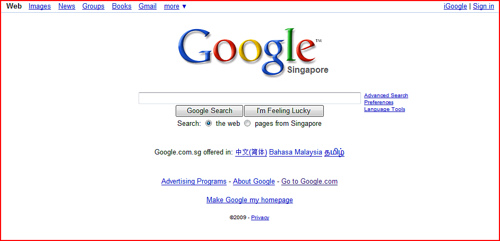
Google in IE:
Google in Safari:
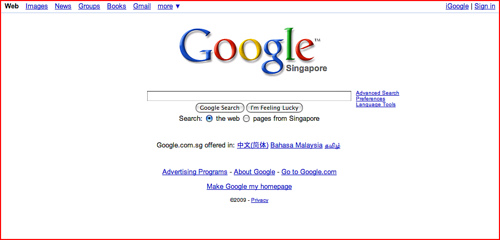
Conclusion: The navigation widgets of Safari looks more attracting with its rounded corners.
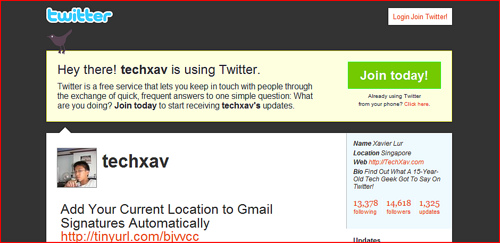
TechXav’s Twitter Page in IE:
TechXav’s Twitter Page in Safari:
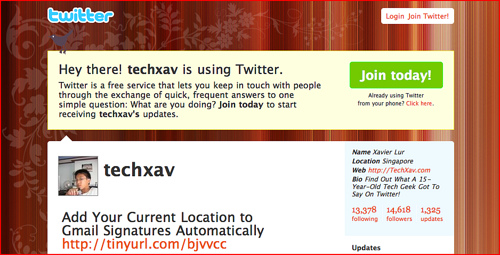
Conclusion: The font in Safari is better.
Blogger Platform in IE:
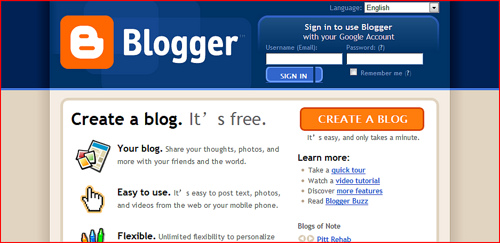
Blogger Platform in Safari:
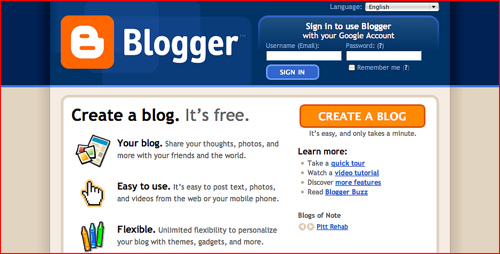
Conclusion: Blogger.com in IE and Safari, nearly the same, but the text in Safari is clearer.
TechXav in IE:

TechXav in Safari
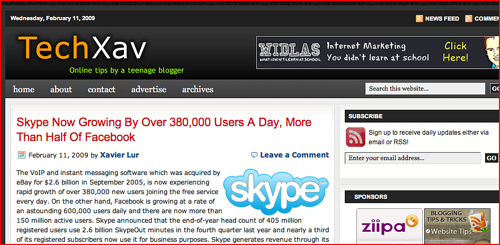
Conclusion: Just because of this compare, I told Xavier to capture screenshots in Safari next time.
In conclusion, I think one of the reason of more and more people use Safari is the interface, a good experience is quite important for users, and I think other browsers like Opera, Firefox and Chrome are trying to focus on this important area even though they are experts in developing fast JavaScript engines.
By the way, I am using Safari to write this post now, and I’ve a wonderful feeling. Which browser do you prefer? Leave you comment below and share with us your views and opinions…