 If you receive 100 hundred of e-mails daily and spend 2 hours everyday reading and replying them, this is when you ought to give Nubli EmailSmarts a try! Silicon Valley startup Nubli has created an e-mail assistant called EmailSmarts which automatically ranks conversations by priority and helps users finds the most important e-mails without any much hassle.
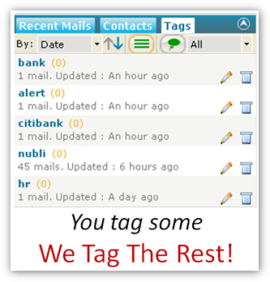 A plug-in for Microsoft Outlook, EmailSmarts uses a brilliant algorithm to prioritize your incoming mails. It analyzes users’ past email behavior, and takes into account how you reply to people as well. Nubli takes e-mail finesse a step further by implementing intelligent tagging. It learns from past tagging behavior and automatically assigns new tags to future email conversations. Intelligent tagging helps users save a lot of time when searching for emails and attachments.
With this free and easy-to-use add-on, you can say goodbye to e-mail overload as need not to fork out precious time to sort your e-mails by importance manually so that you can focus on the most important ones. If you’re an Outlook user and need to tool to help you prioritize your e-mails, EmailSmarts is definitely a suitable choice!